From a phone recording to sheet music
Record yourself on your phone, upload the file, and get the score of what you played.
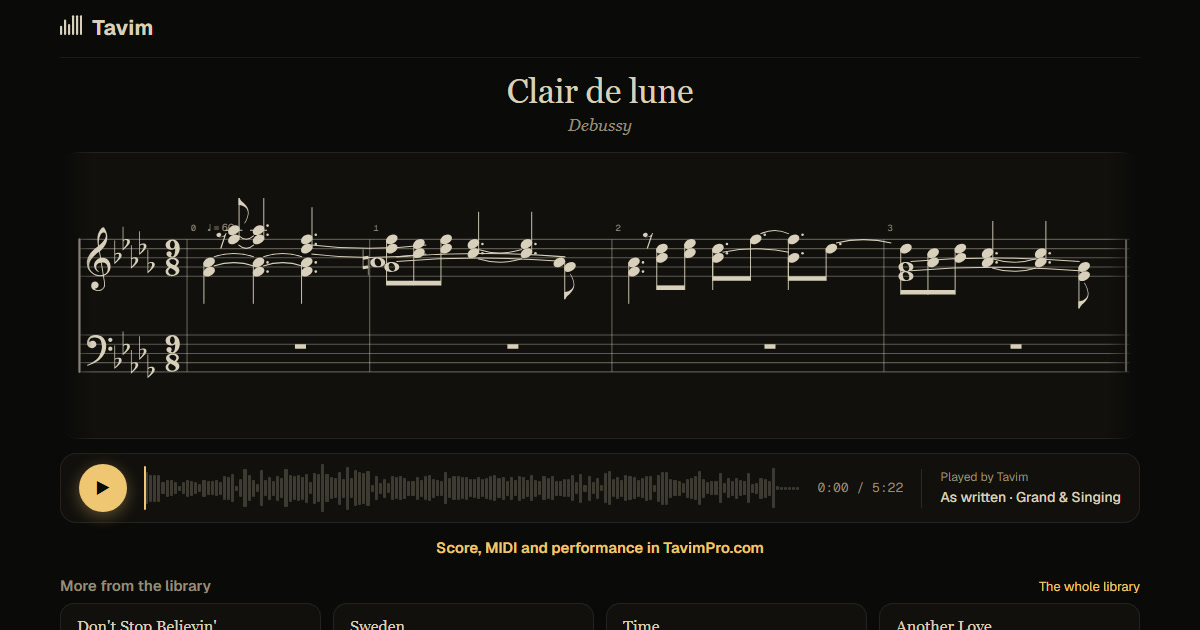
What you get
The score of your playing: both hands, in bars, with the key, metre and tempo. Each note lights as your recording plays, so you can check every bar against what you hear.
Hear your take replayed on a clean piano, same timing, without the phone's sound or the room. Export the score as MusicXML or the notes as MIDI, or share it as a link with its PDF.
A phone is the recorder most pianists have to hand, at a lesson, at home, in a hall. Tavim was built to take that recording as it is: the room, the phone's microphone and the noise around it. You get the score of what you played, not of a cleaned-up version, so it is a true record of your playing.
How it works
- Record on your phone, audio or video, and upload the file, from the phone itself if you like.
- Tavim separates the piano and writes every note it hears.
- Open the score, play it with the notes lit, correct a note if needed, and share or export it.
What works best
Put the phone near the piano and play. A phone recording is fine; a quiet room helps. Recordings up to an hour are taken.
On a well-known piece the bars are most reliable. Notes can be corrected on the score on a computer; on a phone you can read, listen and share.
Upload the voice memo or the video straight from the phone: MP4, MOV, M4A and other formats are taken, up to 2 GB a file. On a phone the score can be read, played with the notes lit, and shared; correcting notes needs a computer.
Your projects are private to you until you share a link. Tavim is free while it is in beta: 50 actions a month, and a new transcription is one.