Make your piano recording sound like a good piano
Recorded on an old upright or a phone? Hear the same performance replayed on a clean piano.
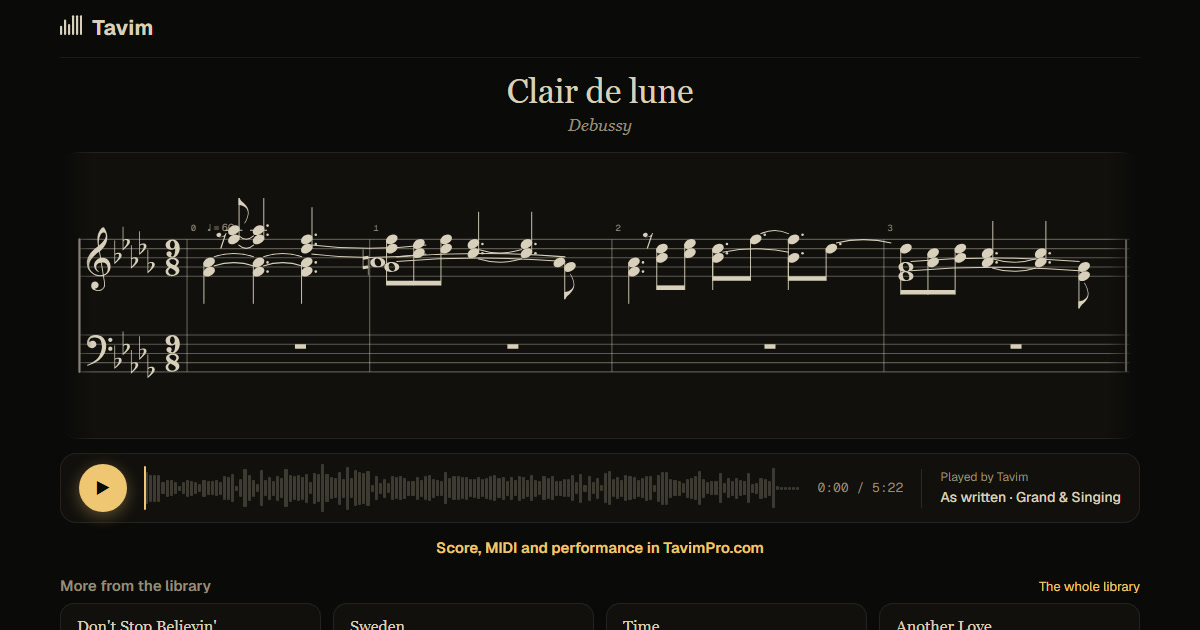
What you get
Tavim writes down every note you played, with its timing, its loudness and the pedal, and replays it on a fine piano: same player, same timing.
Choose the piano's sound: Grand & Singing, Bright & Crisp or Dark & Mellow. Switch between your recording and the replay at any moment, export the replay as MP3 or WAV, and keep the score and MIDI too.
The replay keeps what makes the playing yours: when each note starts, how long it lasts, how hard it was played, and the pedal. What it leaves behind is the sound of the instrument and the room: a dull upright, a phone's microphone, a noisy hall. The score and the MIDI come from the same notes, so you can correct a misheard note on a computer and the replay follows.
Share the replay as a link with its lit score, on a phone or a computer, without an account, or make a video of the score playing, in 16:9 for YouTube or 9:16 for Shorts.
How it works
- Drop your recording on Tavim: a phone recording is fine.
- Tavim hears every note and how you played it.
- Listen to the replay, pick the piano, and export the sound.
What works best
Piano alone works best. Recordings up to an hour are taken.
The replay plays the notes Tavim heard; where it misheard a note you can correct it on the score.
Phone recordings are fine; the replay does not depend on the quality of the recording's sound, only on Tavim hearing the notes. Audio and video files in most formats are taken, up to 2 GB a file.
Your projects are private to you until you share a link. Tavim is free while it is in beta: 50 actions a month, and a new transcription is one.